TimeTracker Pro
New
Generate your timesheet automatically. AI-powered.
MXC TimeTracker Pro analyzes your git commits and computer activity, automatically filling in your time entries. Precise billing with Azure DevOps and Monday.com integration – no extra administration.
- Entries generated from git commit history
- Measures active time spent on your computer
- One-click approval, fully editable result
Features
Everything you need for time tracking
TimeTracker Pro
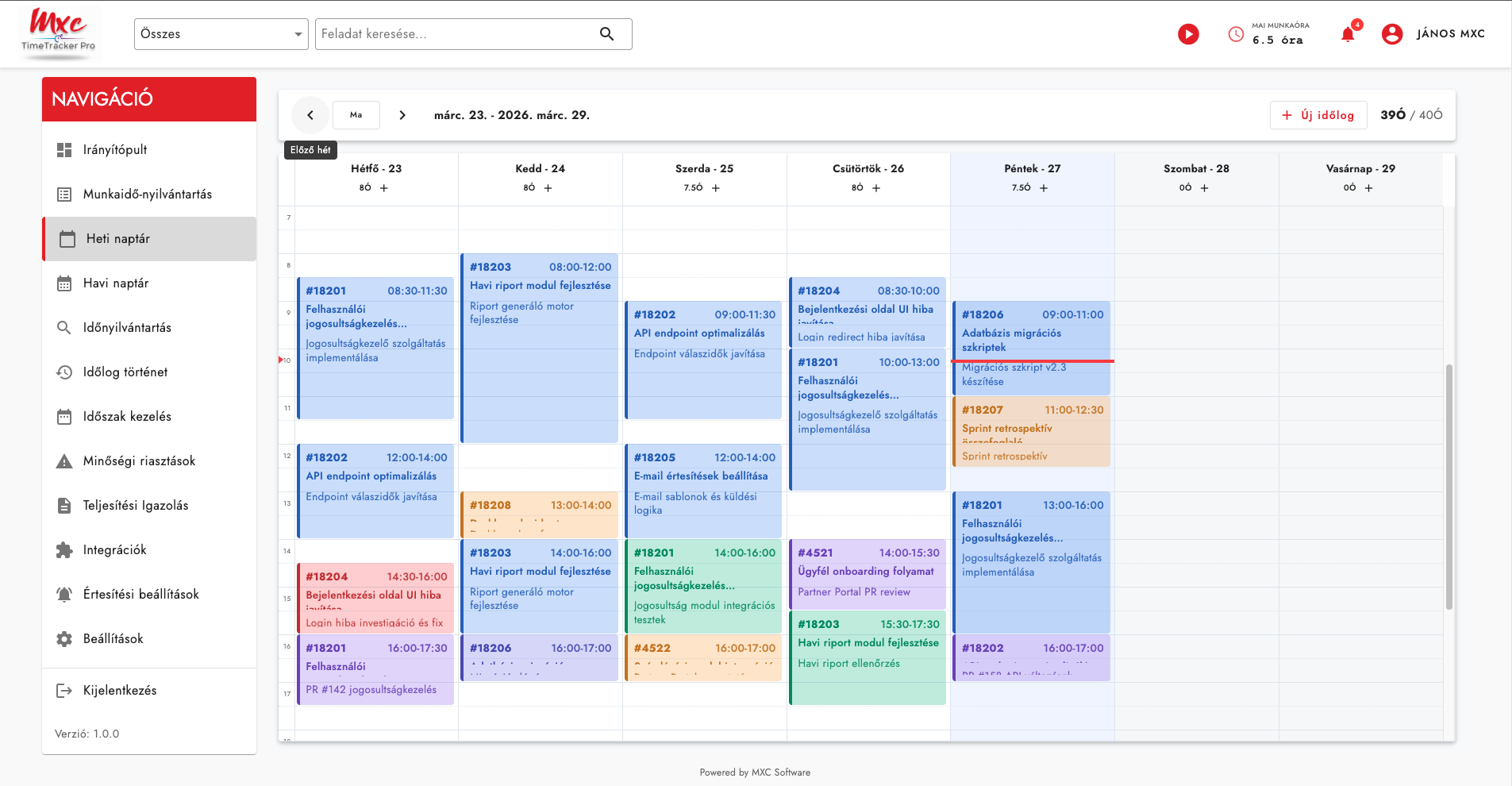
Weekly calendar view
Weekly Timesheet view
Clear weekly view where you can see and edit all entries in one place.
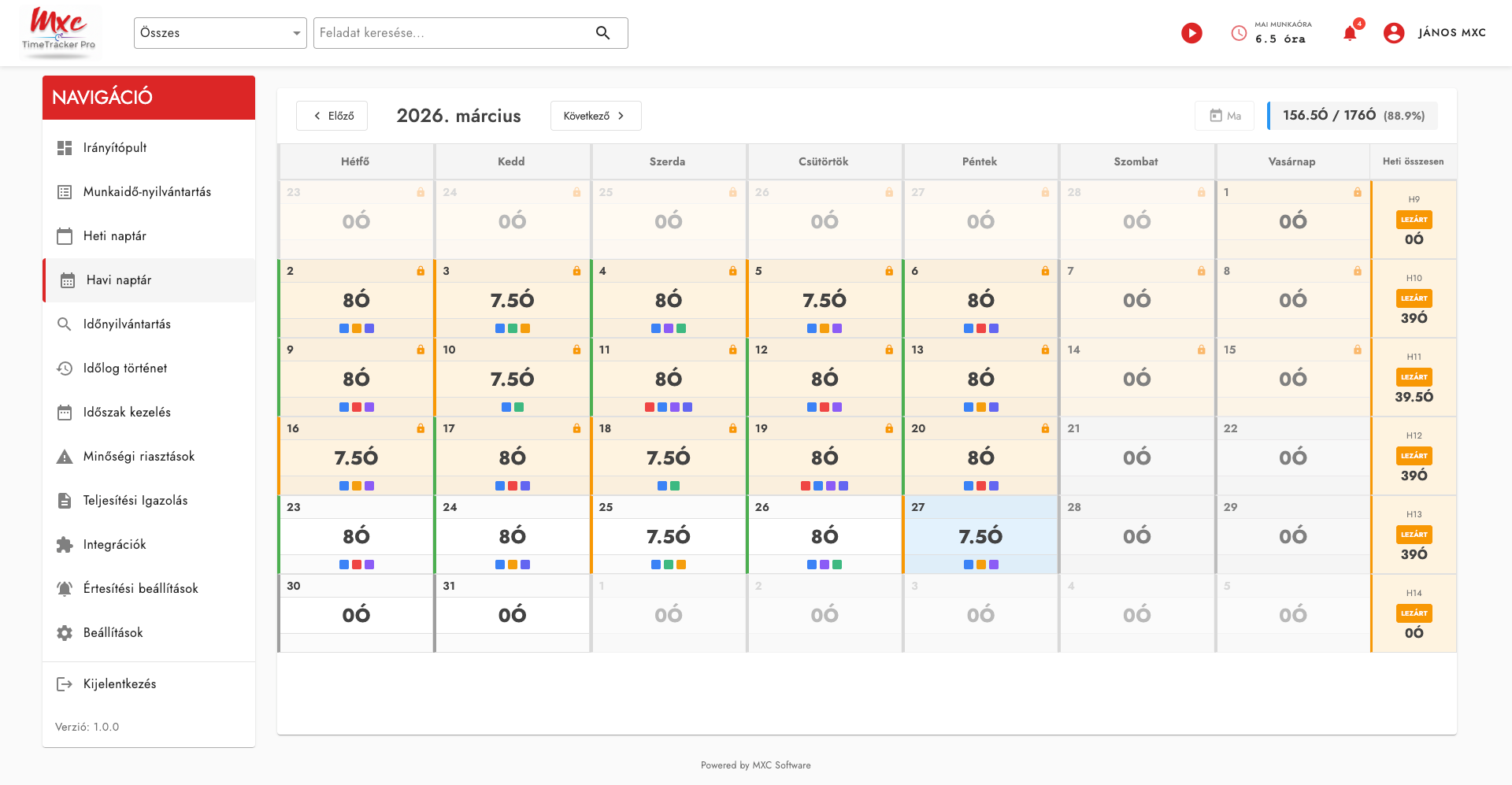
Calendar view
Weekly and monthly calendar view for visual overview of time entries.
Start/Stop Timer
One-click start and stop timer for the current task.
Azure DevOps integration
Log time directly to Azure DevOps work items, in sync with your team.
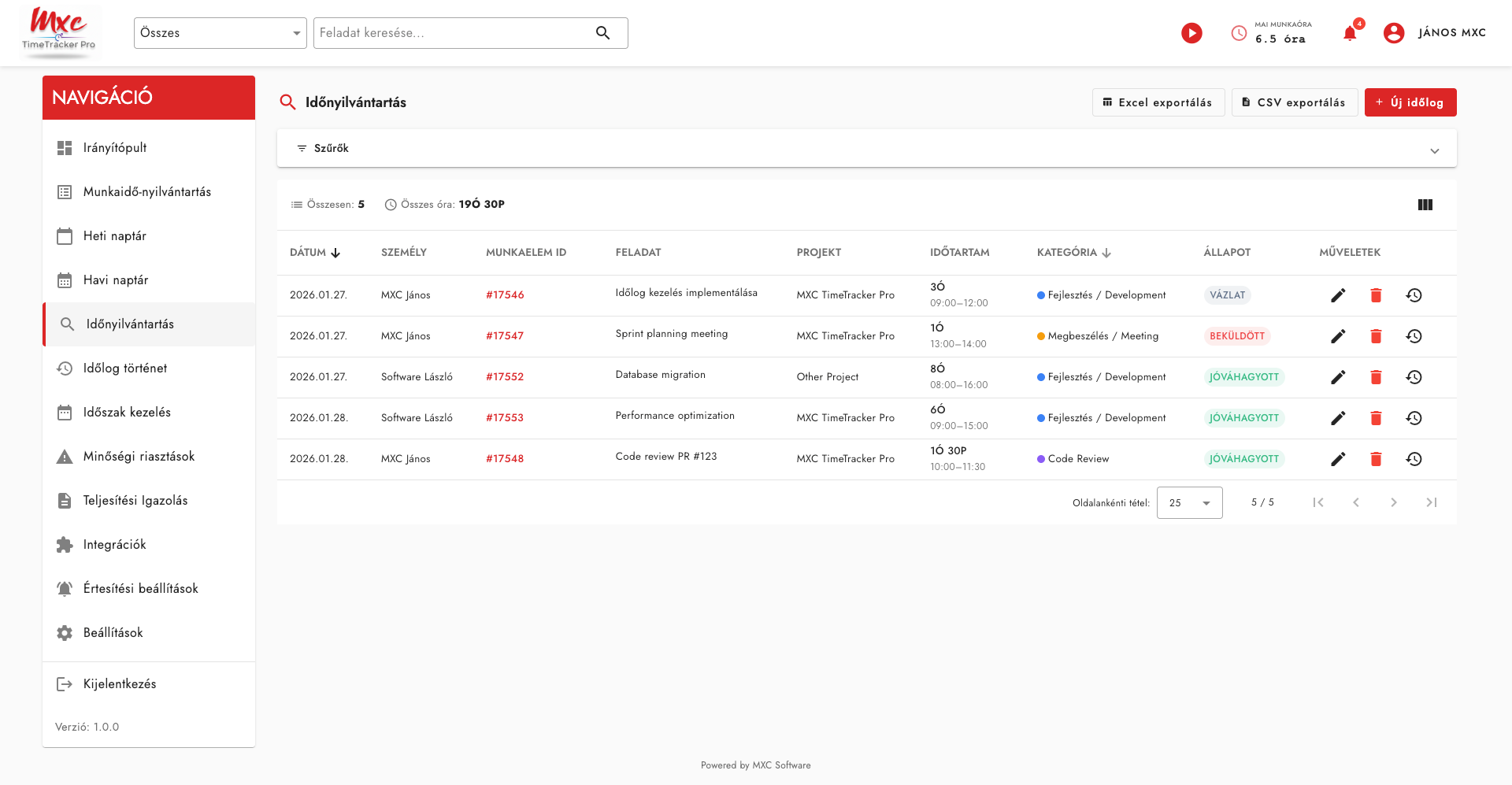
Excel/CSV export
Export logged hours in Excel or CSV format for further processing.
Role-based permissions
Different permission levels: employee, team lead, administrator.
How does it work?
Three simple steps
1
Sign in
Sign in with your existing Microsoft account – no separate registration.
2
Log time
Log time to Azure DevOps or Monday.com tasks, via timesheet or timer.
3
Export reports
Export reports in Excel/CSV format, or view them on the built-in dashboard.
TimeTracker Pro
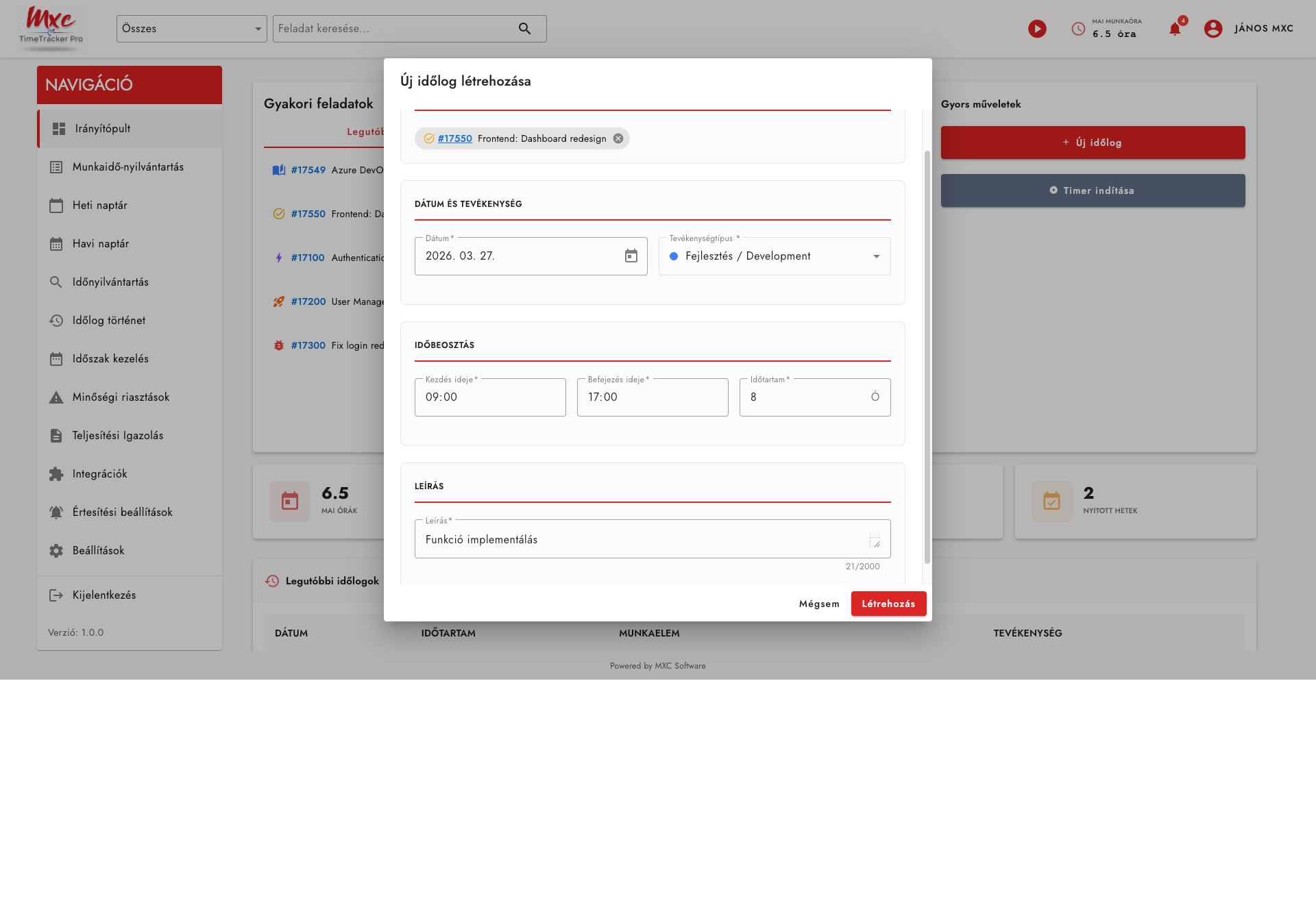
Log a new time entry in just a few clicks
Integrations
Connected systems
Azure DevOps
Time logging to work items, in sync with the team.
Active
Monday.com
Time logging integration for Monday.com tasks.
Active
More integrations
Continuously expanding integration options.
Coming soon
Why choose us?
Business reasons for decision-makers
Zero extra passwords
No more forgotten login credentials. Use your existing Microsoft account for fast and secure sign-in.
Always know who logged what and when
Full transparency, audit trail for every change.
Control in the manager's hands
Approve weeks with a single click and prevent retroactive changes with the lock feature.
Azure DevOps and Monday.com in one place
Log time to tasks from both systems in one place.
Pricing
Choose the right plan for your team
Enterprise
Advanced security, compliance, and AI customization features for larger organizations.
28EUR / users / month
Features
Everything included in the Premium plan, plus:
- AI Custom Rules: configurable mapping rules for Git repositories, branches, and activity patterns
- AI Confidence Scoring: transparency into the accuracy of AI-generated entries
- SAML/SSO (Azure Active Directory, Okta, Google Workspace)
- SCIM user provisioning
- Advanced audit logs with export capabilities
- Multi-level approval workflows
- API access for custom integrations
- Dedicated account manager
- SLA guarantee and SOC 2 compliance documentation
Basic
For small teams and individual developers.
7EUR / users / month
Features
- Manual time tracking (timer + manual entry)
- Integration with Azure DevOps and Monday.com (work item retrieval, time log attachment)
- Weekly timesheet and monthly calendar view
- Basic reporting and dashboard
- Excel and CSV export
- Up to 10 users
- Email support
Premium
Full team management with AI-powered timesheet generation. This is the ideal plan for most development teams.
14EUR / users / month
Features
Everything included in the Basic plan, plus:
- AI Timesheet Generation: git commits + ActivityWatch desktop activity → automatic time log suggestions
- AI Smart Suggestions: pattern recognition and time allocation recommendations
- Role-based access control (Employee, Office Manager, Admin)
- Weekly closure with approval workflow
- Audit trail (full change history)
- Advanced reporting (by project, team, and time period)
- Advanced Azure DevOps and Monday.com integration (two-way sync, hierarchical work item mapping)
- Unlimited users
- Priority support
Request a quote
Fill in the form and our team will get back to you shortly with the details.
Your details
Get in touch